




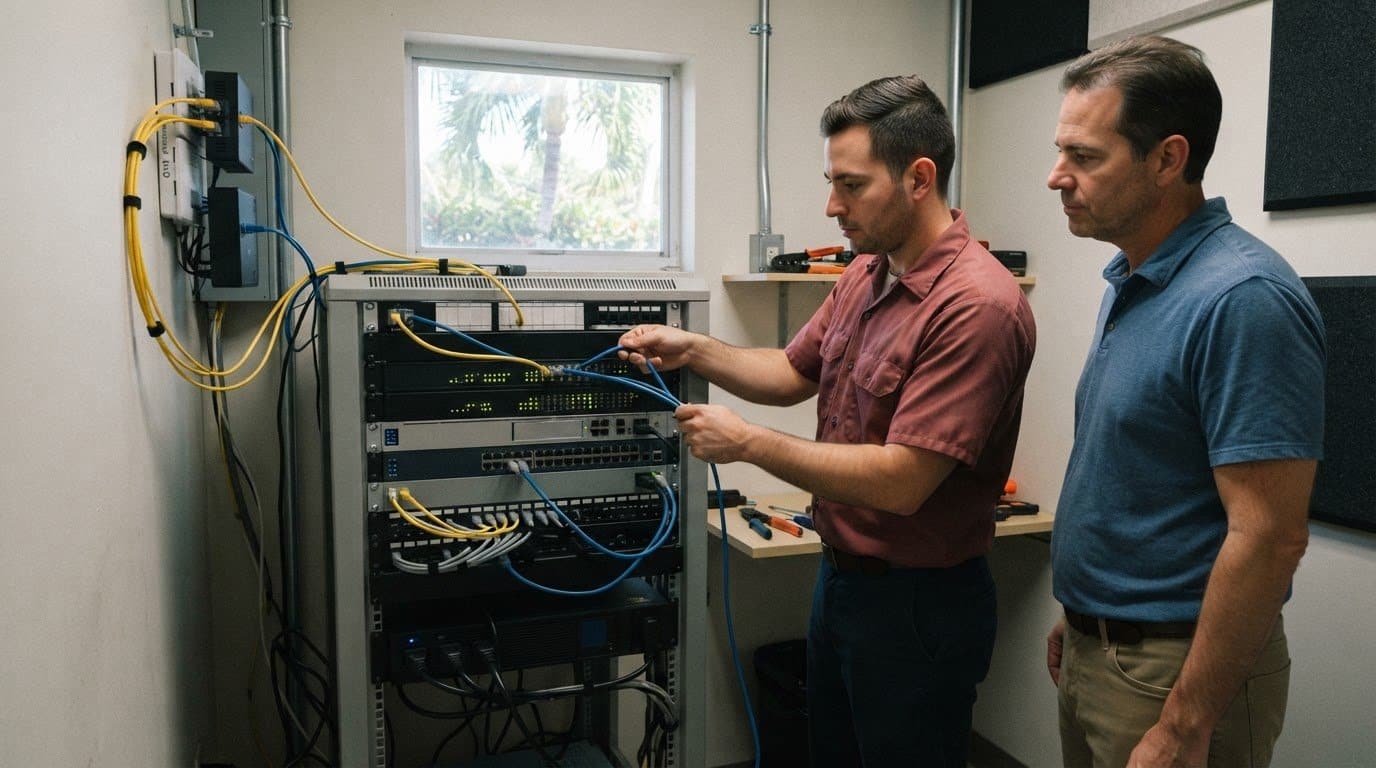
05 Nov IT Infrastructure Checks for Growth in Aventura
Growth can expose weak links that routine IT maintenance misses. An IT infrastructure audit for growing businesses in Aventura should assess the systems employees rely on, including network connectivity, backup and recovery, room to expand, and hardware condition. The result should be a clear view of what can support growth and what needs attention.
Your business depends on technology working together, not on isolated fixes. This article explains what small-business IT infrastructure includes and how to assess it as needs change. You’ll learn what to review in internet capacity and failover, disaster recovery, expansion plans, and hardware lifecycles, so you can make practical decisions with greater confidence.
Key Takeaways
- Compare peak-time network demand with the capacity growth will require, and assess how a backup connection could keep essential work online.
- Review backup copies and recovery objectives to understand how the business would restore data and resume operations after disruption.
- Plan infrastructure changes before expansion goes live, so cabling, security, and cloud needs are part of the design.
- Use a hardware inventory to spot aging or constrained equipment and prioritize lifecycle decisions around business needs.
1. Network bandwidth, redundancy, and internet failover
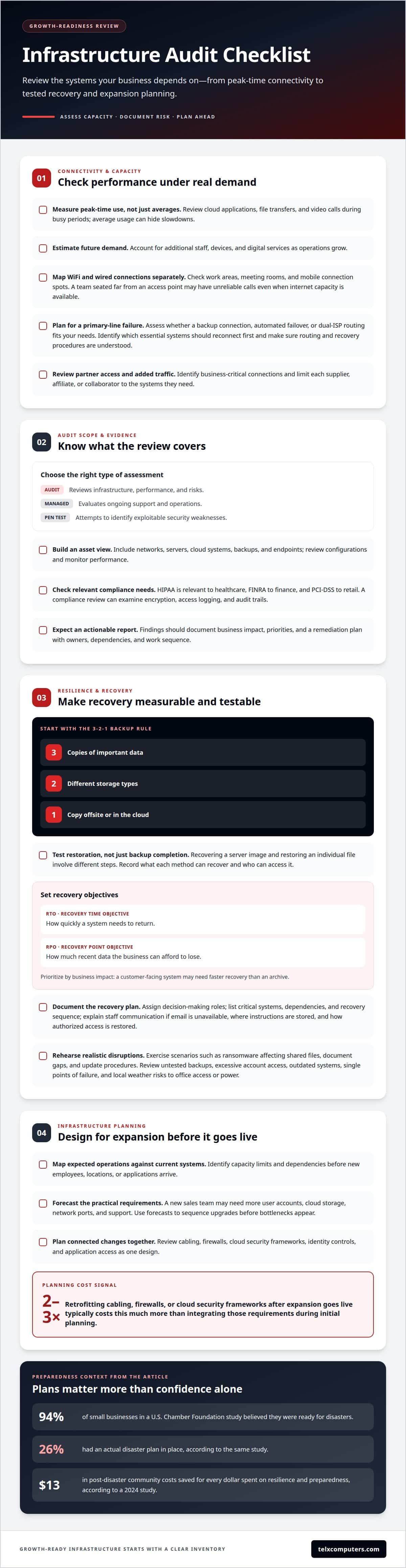
An IT infrastructure audit for growing businesses in Aventura should assess how network demand changes during peak work periods. Review internet usage when employees access cloud applications, transfer files, and join video calls. Then estimate what additional staff, devices, and digital services will require. Average usage alone can hide slowdowns during busy hours.
Assess business WiFi and wired connections as separate parts of the same system. Map coverage in work areas, meeting rooms, and places where staff connect from mobile devices. For example, a new team seated far from an access point may have unreliable calls even when the internet connection has capacity. Track congestion before expanding access.
Redundancy means planning how essential work continues if the primary internet line fails. Assess whether a backup connection, automated failover, or dual-ISP routing fits your operating needs. Confirm which systems should reconnect first, such as cloud tools used for customer service or payment processing. A backup line is useful only when routing and recovery procedures are understood.
Partner networks can increase traffic in less obvious ways as a business grows. New suppliers, affiliates, or collaborators may need access to shared platforms, file exchanges, and video meetings. Identify business-critical connections and limit each partner’s access to the systems they need. This supports collaboration while keeping the network’s boundaries clear.
Businesses compare an IT audit, a managed IT assessment, and a penetration test by scope. An audit reviews infrastructure, performance, and risks. A managed assessment evaluates ongoing support and operations, while a penetration test attempts to identify exploitable security weaknesses.
Businesses in Aventura should consider requirements relevant to their industry and data workflows. HIPAA is relevant to healthcare, FINRA to finance, and PCI-DSS to retail. A compliance review can examine encryption, access logging, and audit trails.
Assess networks, servers, cloud systems, backups, and endpoints through an asset inventory, configuration review, and performance monitoring. An audit report should document findings, business impact, priorities, and a remediation plan that identifies owners, dependencies, and the order of work.
Capacity planning should assess peak-hour bandwidth and estimate the throughput expanded operations will need. Backup internet connections, automated failover, and dual-ISP routing can help maintain connectivity if the primary line fails.
2. Resilience and disaster preparedness
A recovery plan should protect the business when equipment fails, data becomes inaccessible, or a cyber incident disrupts operations. An IT infrastructure audit should identify risks such as untested backups, excessive account access, outdated systems, and single points of failure. It should also consider local disruptions, including severe weather that affects office access or power. These gaps can interrupt customer service and reduce capacity for everyday demand.
Start with backup design. The 3-2-1 rule recommends keeping three copies of important data, on two storage types, with one copy offsite or in the cloud. Review local image-based backups alongside secure cloud replication. Then test restoration, not just backup completion. For example, recovering a server image and restoring an individual file involve different steps. Record which data each method can recover and who can access it.
Recovery objectives turn preparedness into an operational plan. The recovery time objective (RTO) describes how quickly a system needs to return; the recovery point objective (RPO) describes how much recent data the business can afford to lose. Set priorities by business impact. A customer-facing system may need faster recovery than an archive, while a distributed team may depend on shared cloud files throughout the workday.
A useful disaster recovery plan assigns decision-making roles, lists critical systems and dependencies, and explains the recovery sequence. It should cover how staff communicate if email is unavailable, where recovery instructions are stored, and how authorized access is restored. Schedule exercises that rehearse realistic scenarios, such as ransomware affecting shared files, then document gaps and update procedures.
These risks also affect a company’s competitive position: prolonged downtime can delay orders, disrupt partner work, and weaken customer confidence. A cybersecurity review can examine access controls, backup exposure, and recovery readiness together. For support addressing ransomware protection, connect prevention measures with tested recovery procedures, rather than treating backups as a stand-alone safeguard.
A 2024 study found every dollar spent on resilience and preparedness saves communities $13 in post-disaster costs. A U.S. Chamber Foundation study found 94 percent of small businesses believed they were ready for disasters, but 26 percent had an actual disaster plan in place.
The 3-2-1 rule uses two different storage types. In 2024, 27 extreme weather events in the United States caused 568 deaths.
3. Infrastructure planning and scaling
Growth plans should shape infrastructure decisions before new employees, locations, or applications arrive. An audit maps current systems against expected operations, then identifies capacity limits and dependencies. For example, adding a sales team may require more user accounts, cloud storage, network ports, and support. Engineers can use that forecast to sequence upgrades instead of reacting to bottlenecks after expansion.
Plan changes as a connected design. Review cabling, firewalls, cloud security frameworks, identity controls, and application access together. Retrofitting cabling, firewalls, or cloud security frameworks after expansion goes live typically costs two to three times more than integrating those requirements during initial planning. Use this finding to prioritize early design decisions, not to assume every upgrade has the same cost.
For growing businesses in Aventura, Miami, and Fort Lauderdale, Telx Computers offers Cybersecurity Audits to review infrastructure and security risks. Choose the scope based on the decision you need to make: an infrastructure audit maps systems and risks, ongoing Managed IT Services support operations, and a penetration test focuses on identifying exploitable weaknesses.
An audit’s duration depends on its scope and access to useful records. A single-office review with an accurate asset inventory differs from a multi-location assessment involving cloud platforms, vendors, and legacy systems. Useful inputs include a network diagram, hardware and software inventories, cloud-service details, growth plans, recurring support issues, and known security controls. These help engineers trace dependencies rather than rely on guesswork.
Turn findings into a phased roadmap. Separate urgent risks from capacity improvements and longer-term replacements, then assign owners and dependencies. For instance, a new cloud application may depend on identity configuration, network capacity, and staff onboarding. A clear sequence lets leadership align technology work with hiring and operational milestones, while leaving room to adjust as demand changes.
4. Hardware inventories and server lifecycle
A useful hardware inventory records each asset’s location, assigned user, function, age, warranty status, processing power, and storage capacity. Include servers, workstations, network equipment, and peripherals. Matching each device to its business role helps distinguish a slow workstation from a server limiting shared applications. Record model and configuration details so the inventory supports lifecycle decisions, rather than simply listing equipment.
Next, assess how each asset performs under actual workloads. A server with limited storage may struggle as file volumes grow, while insufficient processing power can slow database tasks or business applications. Compare observed performance with operational demand, and note recurring faults, support issues, or capacity constraints. Server monitoring can reveal utilization and performance trends, helping teams spot pressure before it disrupts daily work.
Warranty status and supportability matter alongside age. An older device may remain useful if it meets current needs and has dependable support, while a newer system may still be a poor fit if it cannot handle required workloads. Set replacement priorities based on business impact, reliability, available capacity, and the consequences of failure. A server supporting customer transactions deserves closer attention than an idle test machine.
Use the inventory to build a lifecycle plan. Group equipment by condition and role, then sequence maintenance, upgrades, and replacements around business needs. For example, expanding a team may require additional workstations, but the shared server and storage environment must also support those users. This joined-up view helps leaders plan spending, protect revenue-generating operations, and avoid treating each new device as an isolated addition.
Keep the record current as equipment moves, changes owners, or leaves service. Assign responsibility for updating asset details after purchases and retirements, and connect each change to the relevant system dependencies. For visibility into server performance, explore server monitoring systems as part of a lifecycle approach that links operational data to hardware planning.
Telx Computers: Cybersecurity Audits
Telx Computers can turn infrastructure findings into clear cybersecurity priorities through Cybersecurity Audits. Consider an audit when growth adds users, devices, cloud access, or new data workflows, or when network safeguards need a structured review. The assessment can identify security gaps and guide practical next steps.
For ongoing technology needs, Managed IT Services support day-to-day operations, while Network Security addresses protection across business systems. These services connect security decisions with the wider infrastructure employees rely on, rather than treating each finding as an isolated issue.
If your business in Aventura, Miami, or Fort Lauderdale is reviewing its technology as it grows, contact Telx Computers to discuss a Cybersecurity Audit.
Build an IT plan that evolves with your business
Growth changes more than team size. It can reshape how decisions are made, who needs system access, and which technology supports daily work. Use your infrastructure review to inform planning, then revisit priorities when business needs or operations change. This keeps technology decisions aligned with your direction as the organization evolves.
An IT infrastructure audit for growing businesses in Aventura can help turn technical findings into a roadmap leaders can act on. Telx Computers can support that work with Managed IT Services, Network Security, and 24/7 Help Desk Support, connecting day-to-day needs with broader technology planning.
Choose a next step that fits your current priorities. Contact Telx Computers to discuss how an audit can support your growth plans. With a clear view of your needs, you can move forward with greater confidence.
Frequently Asked Questions
What does an IT infrastructure audit include for a growing business?
An IT infrastructure audit for a growing business in Aventura reviews the technology, people, and processes that support daily operations. Alongside network, server, cloud, backup, and device checks, it can examine software licenses and versions, user access, and how employees get technical help. Findings should connect each gap to its operational impact, helping leaders prioritize improvements as teams and workloads expand.
Which IT infrastructure audit providers serve Aventura and Miami-Dade County?
IT consultants and managed service firms serving Aventura and Miami-Dade County provide infrastructure audits.